
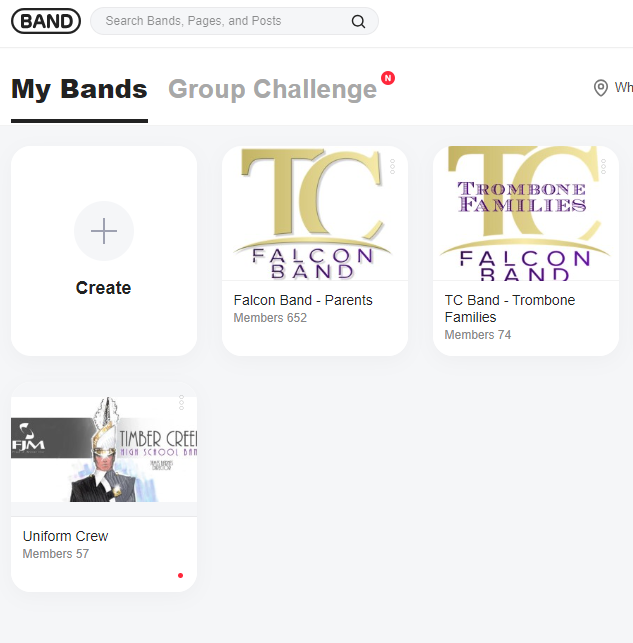
What is the band app?
The main sources for information are 1) the weekly Bird’s Nest email sent by Mr. McCann 2) the calendar 3) your student and 4) The Falcon BAND App Groups.
New families are added to the Band App Groups in May during orientation and registration. The primary group for parents and guardians to ask questions is the TC Band - {section} Families. Directors, Band Parent Association Executive Board and Committee Chairs will “push” information in posts to the TC Falcon Band - Parent Group.
Students are added to a students-only chat thread dedicated to their section managed by their section leaders.
Have a question? Ask your student first. Or have your student ask their section leader. We build student leaders by allowing them to LEAD.
Get to know your Parent Mentor https://www.timbercreekband.org/connect .
BAND APP Tips
-
At the top of the BAND app page, locate for the magnifying glass icon. You can quickly find posts by using the search feature with specific keywords, names, and hashtags.
Additional time saving tips are shared here https://band.us/band/62412132/post/237
-
It is highly recommended to users to set time preferences on receiving notifications.
Please watch this helpful 90-second video on managing notifications, link. -
Being a new family with the Timber Creek Falcon Band program is EXCITING! If you are eager to learn about a specific topic, utilize the search feature in BAND app to read previous posts. Watch this 90 second video to learn how to easily search for past posts and comments.
-
Information can flow fast with posts from directors, board members and committee chairs. Bookmark posts and check them in one place.
Want to save a post? Bookmark it so you can revisit the post at a later time.
• Where is this located?
Tap the three dots/lines on the upper right hand corner of a post > 'Bookmark'
See bookmarked posts:
BAND Home > 'More' > 'Bookmarks' under my profile
Read more in 5 BAND Hacks link.